Independent Contractor Agreement
 Page 1
 Page 2
 Page 3
What This Template Does
This Independent Contractor Agreement template is designed to establish clear terms when hiring or working as an independent contractor. It covers the essentials: scope of services, compensation structure, ownership of work, and termination rights.
The agreement also includes key legal protections, such as non-compete and non-solicitation terms, confidentiality, indemnification, and dispute resolution through mediation or arbitration. By using this template, both parties can set expectations up front, reduce risk, and ensure compliance with state laws.
Whether you’re a contractor taking on a project or a business hiring outside help, this template provides a balanced, professional framework to formalize the relationship and safeguard each side.
How to Update
How to Update Your Independent Contractor Agreement Template
This guide provides step-by-step instructions for customizing your Independent Contractor Agreement template with your company details, contractor details, payment terms, and legal requirements.
Important: After completing these updates, carefully review the document and consider having a legal professional review your customized agreement before use.
Step 1: Update Agreement Date
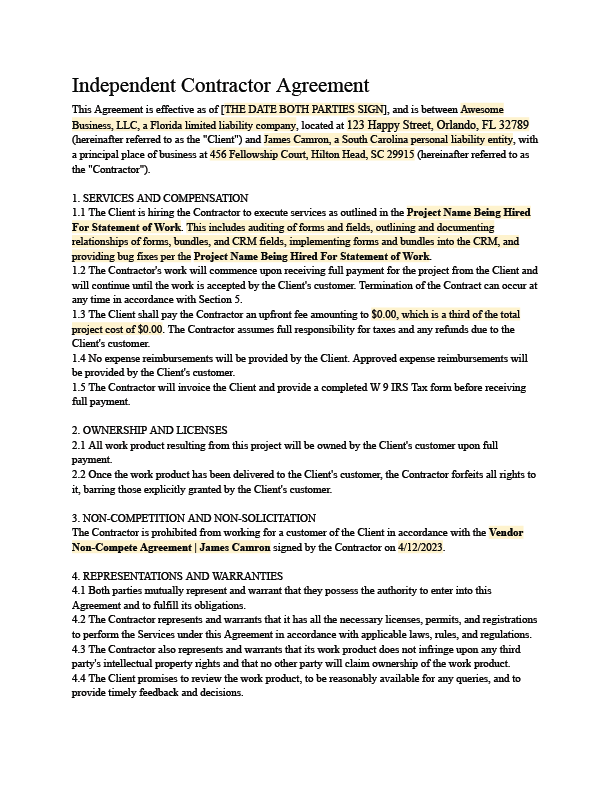
- Locate the placeholder "[THE DATE BOTH PARTIES SIGN]".
- Replace with the actual date the agreement will be signed by both parties.
Step 2: Update Company Information
- Replace "Awesome Business, LLC" with your company’s legal name.
- Replace "123 Happy Street, Orlando, FL 32789" with your company’s current office address.
- Confirm the state of incorporation (currently listed as Florida) matches your business registration.
Step 3: Update Contractor Information
- Replace "James Camron" with the contractor’s legal name or business entity.
- Replace "456 Fellowship Court, Hilton Head, SC 29915" with the contractor’s actual address.
- If the contractor is not in South Carolina or does not use a “personal liability entity,” update to their correct legal structure.
Step 4: Update Services and Compensation
- Replace "Project Name Being Hired For Statement of Work" with the actual project name or SOW title.
- Edit the service description to reflect the specific services the contractor will provide.
- Replace "$0.00" placeholders with the actual upfront payment and total project cost.
- Confirm if any reimbursable expenses will be included. Update Section 1.4 if applicable.
Step 5: Review Ownership and License Clauses
- Confirm that ownership of the work product transfers to the client (or client’s customer) only after full payment.
- Edit if you require a different arrangement (e.g., contractor retains certain rights or licenses).
Step 6: Update Non-Compete and Non-Solicitation
- Review the non-compete section referencing "Vendor Non-Compete Agreement | James Camron".
- Replace the name and date with the correct details of the signed non-compete, or remove if not applicable.
Step 7: Review Payment and Termination Terms
- Confirm payment terms, including whether invoices are due upon completion, upfront, or in milestones.
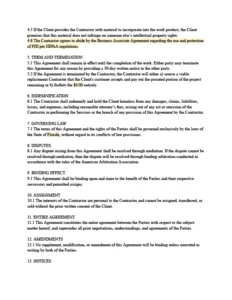
- Edit Section 5.2 to define what happens if the contractor terminates—update payment/forfeiture language if needed.
Step 8: Update Signatures
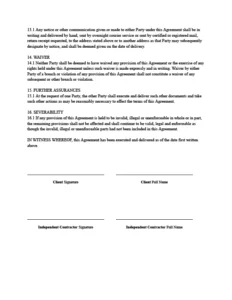
- Replace the placeholders under “Client Signature / Client Full Name” with your company’s authorized representative.
- Replace the placeholders under “Independent Contractor Signature / Independent Contractor Full Name” with the contractor’s details.
Quick Reference
Key placeholders to replace
- [THE DATE BOTH PARTIES SIGN] → Effective date of agreement
- Awesome Business, LLC → Your company name
- 123 Happy Street, Orlando, FL 32789 → Your company address
- James Camron → Contractor’s name
- 456 Fellowship Court, Hilton Head, SC 29915 → Contractor’s address
- Project Name Being Hired For Statement of Work → Actual project name/SOW
- $0.00 → Actual fees and payment terms
- Vendor Non-Compete Agreement | James Camron (4/12/2023) → Relevant non-compete reference, if applicable
- Client Signature / Contractor Signature → Authorized names and signatures